
Expense Management
Every Dirham Tracked. Every Leak Plugged.
Fleet expenses spiral when they’re scattered across spreadsheets, fuel cards, vendor invoices, and driver claims. Without a centralised view, costs that should be predictable fuel, maintenance, tolls, fines become surprises that erode margins month after month.
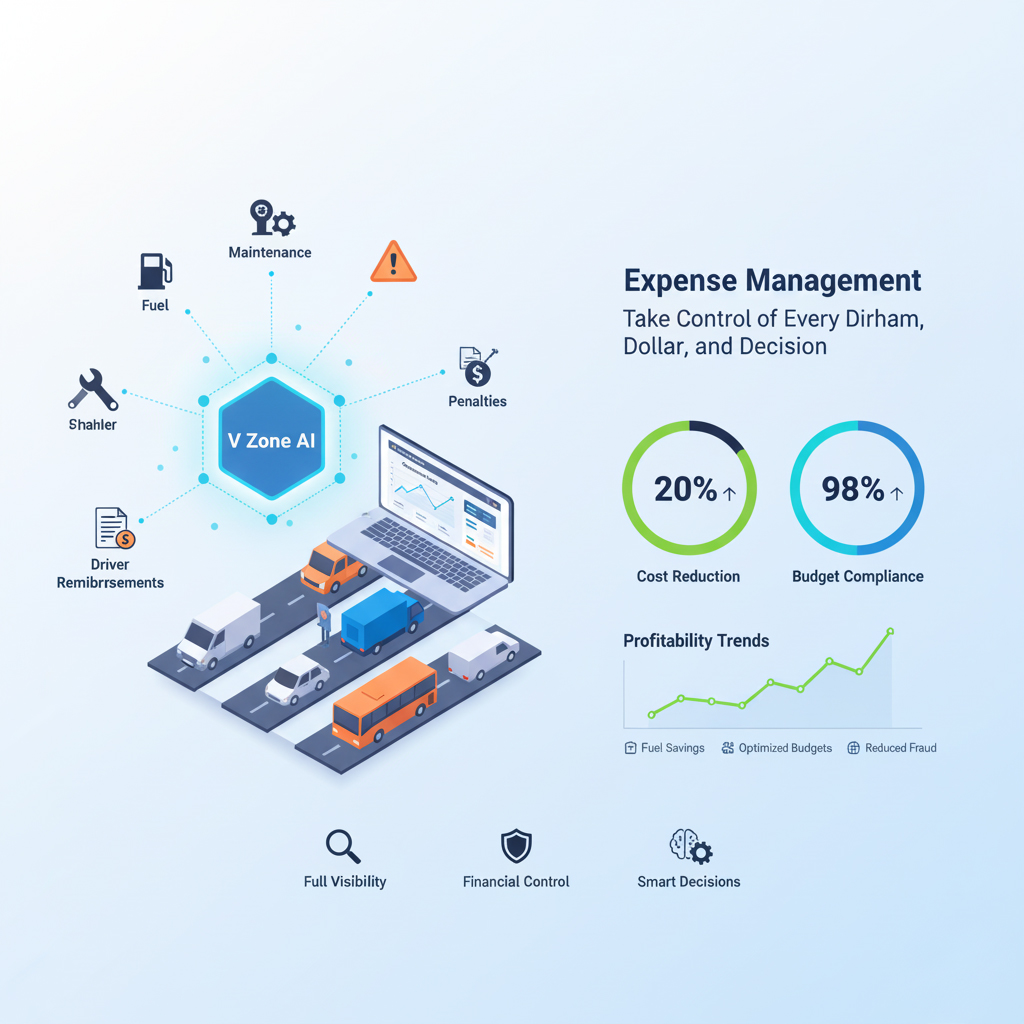
V Zone’s Expense Management module consolidates every fleet cost into one platform fuel, maintenance, Salik tolls, fines, driver reimbursements, insurance, spare parts, and external services. With cost-per-km analytics, AI fraud detection, threshold alerts, and ERP integration, fleets typically identify 20–35% in avoidable spending within the first quarter.
🚩 Why Fleet Expenses Spiral
Most fleet managers know their total spend but can’t break it down by vehicle, driver, route, or cost type in real time. Without that granularity, fuel fraud goes undetected, maintenance costs spike without explanation, driver claims go unverified, and budget forecasts are guesswork:
- Expenses scattered across fuel cards, vendor invoices, and spreadsheets
- No real-time categorisation or cost-per-vehicle visibility
- Surprise fuel or repair bills with no audit trail
- Driver reimbursement claims that can’t be verified against trip data
- Impossible to correlate costs with driver behaviour or route efficiency
💵 What You Can Track
V Zone’s expense module tracks eight categories of fleet cost in one centralised dashboard from fuel and maintenance to tolls, fines, reimbursements, insurance, parts, and external services:
| Category | What’s Included |
|---|---|
| ⛽ Fuel | Purchases, fuel card usage, theft alerts, mileage-to-cost correlation |
| 🛠️ Maintenance | Scheduled services, breakdown repairs, workshop charges |
| 🛣️ Toll & Salik | Road usage, toll history, cross-checked with trip logs |
| 🚛 Driver Reimbursements | Food, travel, lodging linked to trip durations and jobs |
| 💼 Fines & Violations | Speeding, parking, route deviations, compliance fines |
| 🧾 Insurance & Renewals | Policy cost, coverage types, payment due cycles |
| 📦 Spare Parts & Inventory | Tyres, oil, batteries, filters, and vehicle part costs |
| 🧰 External Services | Leasing, rentals, third-party logistics or field vendors |
🛠️ Key Features
V Zone’s expense management combines seven capabilities from auto-categorised logs and recurring expense automation to cost-per-km analytics, threshold alerts, receipt matching, and advanced reporting:
🧮 Auto-categorised logs
Every cost item classified by type, vehicle, project, or branch
🔁 Recurring expenses
Automate insurance, leasing, and monthly service contract entries
📈 Trend analytics
Visual dashboards showing month-to-month cost trends and spikes
💸 Cost-per-km / trip / vehicle
Know which vehicles or routes are burning your budget
⚠️ Threshold alerts
Get notified when a cost exceeds the normal range AI fraud detection
🧾 Receipt matching
Upload invoices and link them to trips, fuel stops, or job sheets
🔎 Advanced filters & export
Segment reports by vehicle type, period, cost centre, or driver
🏭 Use Case: Regional Transport Fleet
A UAE-based regional transport fleet deployed V Zone’s expense management to identify and eliminate hidden cost leaks:
- Challenge: Unexplained monthly overages in fuel and maintenance across 120 vehicles
- Solution: V Zone expense module with AI fraud alerts, threshold notifications, and cost-per-km analytics
- Result: Identified fuel fraud on 4 vehicles, optimised 12 routes, eliminated excess idle waste — saved AED 36,000 in 6 months
Results based on client deployment. Actual outcomes vary by fleet size and expense profile. All claims should be verified with V Zone.
🧮 Before vs. After V Zone
The gap between scattered expense tracking and V Zone’s centralised system shows up in cost visibility, fraud detection, budget accuracy, and audit readiness:
| Metric | ❌ Before | ✅ After |
|---|---|---|
| Expense Tracking | Manual, scattered | Centralized, automated |
| Fuel & Repair Logs | Incomplete or delayed | Real-time, categorized |
| Cost Per Vehicle | Unknown | Tracked in real-time |
| Reimbursement Oversight | Often misused | Verified and linked to job |
| Budget Forecasting | Guesswork | Data-backed projections |
🔌 Integrates With
V Zone’s expense module connects to other platform modules and external accounting systems for cross-data cost intelligence:
- Fuel Monitoring: auto-populate fuel costs from sensor data
- Driver Behavior: correlate driving habits with fuel and maintenance spend
- Maintenance Reminder: link service costs to scheduled and unplanned repairs
- Route Optimisation: identify high-cost routes and toll-heavy trips
- Trip Analytics: cost-per-trip reporting
- ERP & Accounting (SAP, Oracle, Zoho, Tally): sync expenses to finance systems
📈 Business Impact
Fleets that deploy V Zone’s expense management see measurable improvements in cost transparency, waste reduction, budget accuracy, and audit compliance:
- ✅ 100% transparent fleet spending every dirham accounted for
- ✅ 20–35% reduction in operational leakages
- ✅ Real-time awareness of cash outflow by vehicle, route, and driver
- ✅ Improved budgeting and ROI forecasting with historical data
- ✅ Faster audit readiness with digital logs and receipt matching
🧠 Why Choose V Zone?
V Zone’s expense management is integrated into the fleet platform alongside GPS, fuel, maintenance, and compliance modules so every cost is linked to real vehicle data, not isolated spreadsheet entries:
- Trusted by finance and operations leaders across GCC & global markets
- Designed for multi-branch, multi-location, and multi-currency setups
- Fully compatible with ERP and accounting platforms (SAP, Oracle, Zoho, Tally)
- Powerful dashboard tailored to your business logic
- AI-driven alerts for fraud detection and waste control
📢 Ready to Turn Fleet Spending Into Strategic Insights?
💬 FAQs
What types of fleet expenses can V Zone track?
V Zone tracks eight categories of fleet cost: fuel (purchases, cards, theft alerts, mileage correlation), maintenance (scheduled and unplanned), tolls and Salik (cross-referenced with trip logs), driver reimbursements (linked to trips and jobs), fines and violations (speeding, parking, compliance), insurance and renewals (policy cost, due dates), spare parts (tyres, oil, batteries, filters), and external services (leasing, rentals, third-party vendors). Each category is auto-classified and filterable by vehicle, driver, branch, or time period. You can also create custom expense categories for costs specific to your operation.
How does cost-per-km work?
V Zone calculates cost-per-km by dividing the total expenses for a vehicle (fuel, maintenance, tolls, parts, fines) by the total kilometres driven in the same period. This is calculated automatically and updated in real time as new expenses and odometer data are recorded. You can view cost-per-km at the vehicle level, the fleet level, or by route. This metric is the most reliable way to identify which vehicles are costing more than they should a vehicle with a significantly higher cost-per-km than the fleet average is either consuming too much fuel, requiring excessive maintenance, or being driven on inefficient routes.
Can V Zone detect fraudulent fuel claims?
Yes. V Zone’s AI fraud detection compares fuel purchase data against actual vehicle odometer readings and fuel sensor data. If a driver claims a fuel purchase that doesn’t match the vehicle’s consumption pattern for example, a 60-litre fill-up when the tank sensor shows only 20 litres were added the system flags it as a potential fraud event. Threshold alerts also fire when fuel costs for a specific vehicle exceed the expected range based on historical data and route distance. These alerts are sent to the fleet manager for investigation and are logged for audit purposes.
Does V Zone integrate with accounting software?
Yes. V Zone integrates with major ERP and accounting platforms including SAP, Oracle, Zoho, and Tally. Expense data can be synced automatically to your finance system eliminating manual data entry and ensuring fleet costs appear in your general ledger, cost centre reports, and budget tracking tools. The integration supports multi-currency setups for fleets operating across the UAE, GCC, and international markets. API access is also available for custom integrations with in-house accounting or BI platforms.
How is this different from the Fuel & Cost Management solution page?
The Fuel & Cost Management solution page covers the strategic approach to fleet cost control how V Zone helps businesses reduce fuel waste, prevent theft, optimise maintenance budgets, and improve total cost of ownership. This Expense Management platform page covers the specific module mechanics how expenses are categorised, how cost-per-km is calculated, how thresholds and fraud alerts work, how receipts are matched to trips, and how data flows into ERP systems. The solution page is the “why and what”; this page is the “how it works under the hood.”