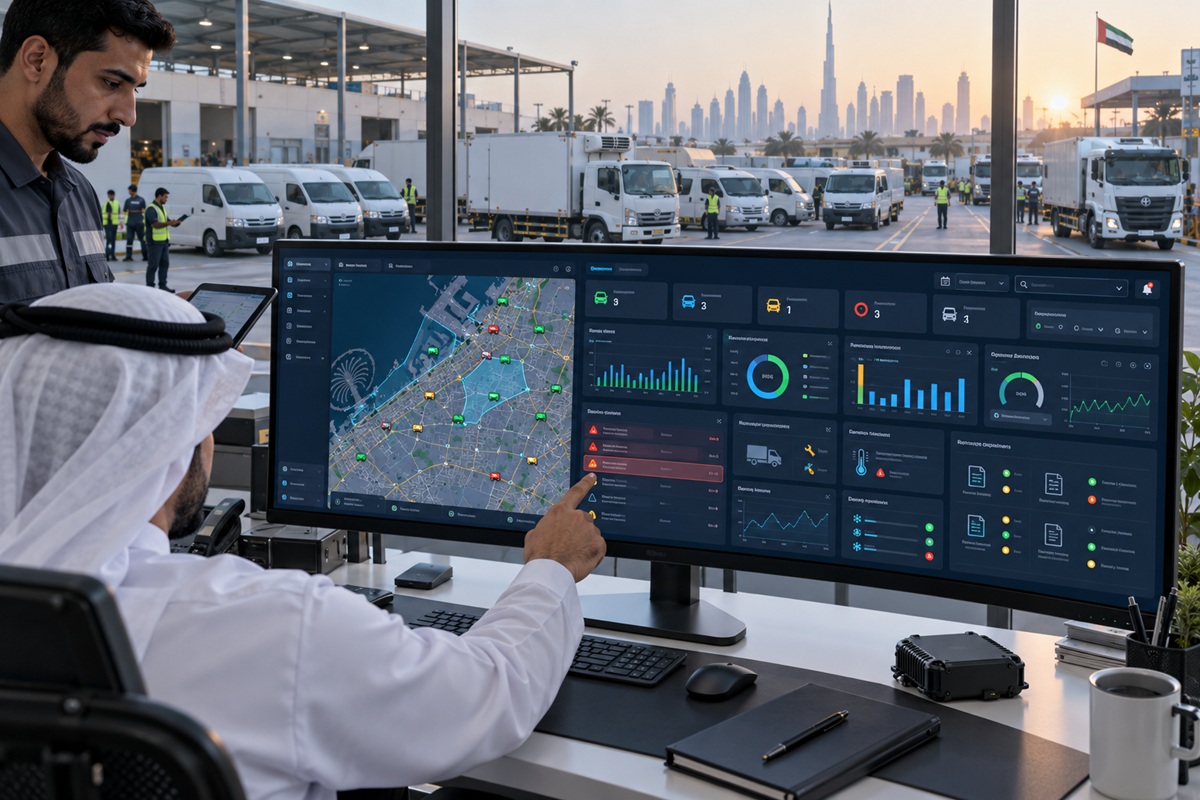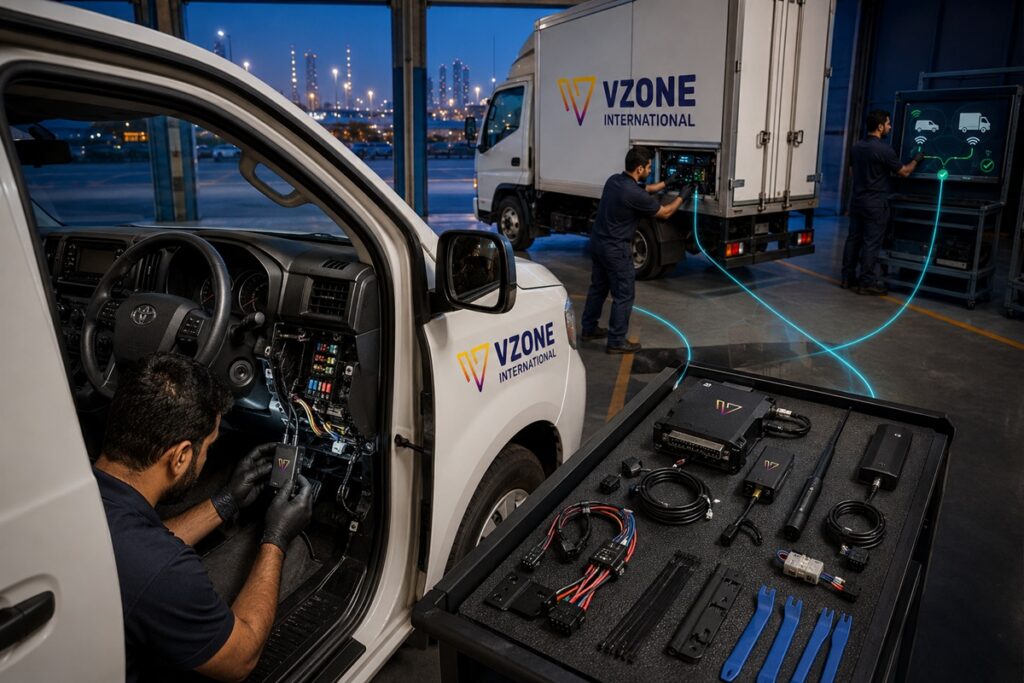
Installing a GPS tracker in a UAE fleet vehicle is a two-stage process: the physical installation of the device in the vehicle, and the registration of the device with the applicable UAE compliance programme portal. Both stages must be completed correctly for the installation to serve its purpose a device that is physically installed but not registered with the Asateel portal is not compliant; a device that is registered but incorrectly installed (poor power connection, dashboard placement in UAE heat) generates data gaps that compliance monitoring detects.
This guide covers all three installation methods used in UAE fleet vehicles OBD-II plug-in, hardwired, and heavy vehicle CAN bus with the specific UAE considerations for each: heat-resistant placement, compliance programme requirements, SIM activation, and portal registration. VZone International’s certified installation team handles all three methods across all UAE Emirates, with compliance registration managed as part of the standard deployment service.
Key Takeaways
- Three GPS tracker installation methods serve different UAE fleet needs: OBD-II plug-in (fast, no tools, not compliance-compliant), hardwired to vehicle fuse box (tamper-evident, compliance-required, 45-90 minutes professional installation), and CAN bus integration on heavy vehicles (specialist method for ADNOC IVMS driver behaviour data capture).
- All UAE GPS compliance programmes ITC Asateel, RTA SecurePath, ADNOC IVMS, SIRA require hardwired professional installation. OBD-II devices are not tamper-evident and cannot satisfy compliance certification requirements regardless of whether the device itself is on the approved hardware list.
- UAE heat placement rules: avoid dashboard top and windscreen area where temperatures exceed 80°C in summer sun. Preferred locations under passenger seat, behind dashboard trim, inside centre console keep the device below 50°C ambient and provide adequate GPS signal reception.
- Portal registration following installation is mandatory for compliance a device installed but not registered with the ITC Asateel, RTA SecurePath, or ADNOC IVMS portal does not generate compliance data submission. VZone International manages portal registration for all fleet deployment clients as part of the standard onboarding process.
- SIM card activation for UAE GPS trackers requires an M2M/IoT data SIM from du or Etisalat pre-configured with the correct APN settings for the fleet management platform. VZone International includes pre-activated UAE SIMs with all fleet deployments, eliminating SIM procurement and configuration from the installation process.
Section 1 Choosing the Right Installation Method
Method | Time Required | Tools Needed | UAE Compliance | Vehicle Type | Self-Install? |
OBD-II plug-in | 5-10 min | None | Not compliant Asateel/IVMS/SIRA require hardwired | Passenger cars, light vans (post-2001 OBD-II port) | Yes trivial |
Hardwired fuse tap | 45-90 min | Wire stripper, fuse tap, multimeter, cable ties, trim tools | Compliant required for all UAE programmes | All vehicle types with 12V or 24V electrical system | Possible with electrical experience; certified installer recommended for compliance |
Hardwired direct battery | 60-90 min | As above + inline fuse holder | Compliant | Vehicles without accessible fuse box, or when permanent live power is needed (parking mode) | Certified installer required |
CAN bus integration | 90-180 min | CAN bus Y-connector, OBD breakout cable, vehicle-specific CAN pin mapping | Compliant required for full IVMS driver behaviour data | Commercial trucks, buses, heavy equipment with CAN bus | Specialist certified installer only |
Portable/magnetic | 2 min | None | Not compliant no tamper evidence, battery-dependent | Any metal-bodied vehicle temporary use | Yes place and go |
⚠ UAE COMPLIANCE NOTE For ITC Asateel, RTA SecurePath, ADNOC IVMS, and SIRA GPS compliance, hardwired installation by a certified installer is mandatory. OBD-II and portable installations do not satisfy UAE compliance requirements regardless of device model or approval list status. VZone International’s certified installation team provides compliance-valid installation across all UAE Emirates. |
Section 2 OBD-II GPS Tracker Installation (5-10 Minutes)
OBD-II installation is appropriate for personal vehicles, corporate car fleets without UAE compliance obligations, and pilot deployments where the intent is to evaluate GPS data before committing to a compliance-grade hardwired installation.
1 | Locate the OBD-II Port Sit in the driver’s seat and look under the dashboard on the driver’s side. The OBD-II port is a 16-pin trapezoidal connector typically located within 60 cm of the steering column. Common positions: directly visible under the dashboard left of the steering column (most UAE-market vehicles); behind a small trim panel below the steering wheel; or inside the lower dashboard fascia. The port is standardised across all passenger vehicles sold in UAE after 2001. |
2 | Insert SIM Card (if required) Most VZone International OBD-II devices ship with a pre-installed, pre-activated UAE M2M SIM. If a separate SIM is required, insert the nano or micro SIM into the device’s SIM slot before plugging into the vehicle. Confirm the SIM is from du or Etisalat and is an M2M/IoT data plan consumer voice SIMs work but at higher data rates and without the continuous-connectivity optimisation of M2M plans. |
3 | Plug the Device Into the OBD-II Port Align the device’s 16-pin connector with the OBD-II port and push firmly until it clicks into place. The connection should be flush and secure a loose connection causes intermittent power and data gaps. If the device protrudes into the driver’s legroom or is vulnerable to accidental dislodgement, use a short OBD-II extension cable to position the device in a less exposed location under the dashboard. |
4 | Turn Ignition On and Wait for GPS Fix Turn the vehicle ignition to accessory position or start the engine. The device draws power from the OBD-II port. Most devices show a LED status indicator: flashing green or blue indicates GPS signal being acquired; solid green or blue indicates an active GPS fix. Allow 2 minutes outdoors with clear sky view for the first GPS fix. Underground parking and covered areas extend fix time move the vehicle outdoors if no fix is achieved after 5 minutes. |
5 | Verify on Fleet Dashboard Log into the VZone International Wialon platform and confirm the vehicle appears on the live map at its correct location. The vehicle should show as active within 3-5 minutes of ignition-on. Verify the position matches the vehicle’s actual location to within 5-10 metres. If the vehicle does not appear, check SIM activation status, OBD port power (multimeter on pin 16 with ignition on), and device LED status before contacting support. |
Section 3 Hardwired GPS Tracker Installation (45-90 Minutes)
Hardwired installation is the standard method for all UAE commercial fleet compliance deployments. The device connects directly to the vehicle’s electrical system tamper-evident, permanently powered (or ignition-switched), and capable of connecting additional sensors (fuel level, driver ID reader, temperature).
⚠ UAE COMPLIANCE NOTE Hardwired installation for Asateel, IVMS, SecurePath, or SIRA compliance must be performed by a certified installer. Incorrect wiring can cause electrical faults, create fire risk, and voids the compliance certification. VZone International’s installation team is certified for all UAE compliance programmes. |
1 | Pre-Installation Planning Location and Cable Route Before opening any trim panels, decide on the device mounting location and the cable route from the fuse box. Preferred UAE locations: behind dashboard trim panel (concealed, moderate heat, good signal), under front passenger seat (low heat, good signal, easily accessible for maintenance), or inside centre console housing (concealed, low heat, verify signal strength). Avoid: dashboard top and windscreen area (80-90°C in UAE summer sun device failure risk), engine bay (extreme heat and vibration), and any location where cables would cross moving parts (pedals, seat rails). |
2 | Access the Fuse Box and Identify a Switched Circuit Locate the vehicle’s primary fuse box typically under the dashboard on the driver’s side for passenger vehicles; in the cab or engine bay for commercial vehicles. Using the fuse box diagram (inside cover or owner’s manual), identify a switched fuse circuit one that is active with ignition on and inactive with ignition off. Suitable options: cigarette lighter fuse, radio/infotainment fuse, accessory power fuse. Verify the circuit is switched: test each candidate fuse position with a multimeter or test light the fuse position should show no power with ignition off and power with ignition on. A switched circuit prevents battery drain from the GPS device when the vehicle is parked. |
3 | Install Fuse Tap and Connect Power Wire Remove the identified switched fuse from its slot. Insert it into the output slot of the add-a-fuse tap (the slot that preserves the original circuit protection). Insert the fuse tap assembly into the fuse box slot. The tap adds a secondary output from the same switched circuit. Connect the GPS device’s positive (red) power wire to the fuse tap’s secondary output terminal using a crimp connector. Insert a 5A mini blade fuse in the tap’s secondary fuse slot to protect the GPS device circuit. The fuse tap provides switched power to the device that activates and deactivates with the vehicle ignition. |
4 | Connect Ground Wire to Chassis The GPS device’s negative (black or brown) ground wire must connect to a reliable metal chassis ground point a bolt or screw that is electrically bonded to the vehicle’s metal body. Identify a ground point near the device’s planned mounting location: seat mounting bolts, dashboard frame screws penetrating to metal body, or a dedicated ground distribution point. Strip 10mm of insulation from the ground wire, crimp a ring terminal, and secure it under the identified ground bolt. A poor ground connection is the most common cause of intermittent GPS device operation confirm low resistance between the ground connection and a known good chassis ground using a multimeter before proceeding. |
5 | Route and Conceal Cables Route power and ground cables from the fuse box to the device location behind trim panels not across exposed surfaces. Use plastic trim removal tools to pry panel edges carefully, and feed cables through the channels behind the panels. Secure cables with zip ties every 20-30 cm. Avoid routing cables near: heat sources (heater ducts, exhaust routing through firewall), sharp metal edges (cut insulation and create short circuit risk), and moving parts (pedals, seat adjustment mechanisms). Cables should be fully concealed in the final installation visible cables are a tamper risk and a UAE compliance concern. |
6 | Mount the Device Securely Mount the GPS device at the chosen location using the provided bracket and self-tapping screws (for body panel mounting most tamper-resistant and vibration-resistant method), or with industrial-grade double-sided adhesive foam tape (adequate for smooth interior surfaces; verify adhesion quality for UAE summer heat). For UAE compliance installations, VZone International uses screw-mounted brackets on body panels as standard the most tamper-evident and vibration-resistant mounting method for commercial vehicles operating on construction sites and desert routes. |
7 | Test Installation and Restore Trim With cables routed and device mounted, test before closing trim panels: ignition on, confirm device LED shows active GPS fix, confirm vehicle appears on fleet dashboard at correct location, test any additional sensors (fuel level sensor input, driver ID reader). Confirm ignition-off powers down the device (no LED activity within 30 seconds of ignition off confirms switched circuit is correctly wired). Restore all trim panels. Tug each cable section to confirm no pinching under panels and no excessive tension at connection points. |
8 | UAE Compliance Portal Registration Device physical installation is complete but compliance status is not active until the device is registered with the applicable programme portal. For Asateel: VZone International submits the device IMEI and vehicle registration details to the ITC Asateel portal and confirms active data submission status typically within 1 to 2 business days. For ADNOC IVMS: device is registered as part of the ADNOC contractor HSE onboarding process. For RTA SecurePath: registration through the RTA portal with device IMEI and vehicle registration. VZone International manages portal registration for all fleet deployment clients, confirming compliance status in the Wialon platform dashboard before installation sign-off. |
Section 4 CAN Bus Integration for Heavy Vehicles and IVMS
CAN bus (Controller Area Network) integration is the installation method for heavy commercial vehicles trucks, buses, construction equipment where the GPS device must access vehicle data beyond what the OBD-II interface provides, and specifically for ADNOC IVMS compliance where driver behaviour event data (multi-tier speed, harsh braking, seatbelt status, driver ID) must be captured from the vehicle’s own sensors via CAN bus rather than estimated from the GPS accelerometer alone.
CAN bus installation connects the GPS device to the vehicle’s data network via a Y-connector at the OBD-II port or at a specific CAN bus connector on the vehicle wiring harness. The device then reads data broadcast on the CAN bus engine speed (RPM), vehicle speed from the transmission (more accurate than GPS speed for IVMS speed tier classification), seatbelt status, door status, engine temperature, and fuel level from the vehicle’s own sensors. This is more accurate and more IVMS-appropriate than GPS/accelerometer-only data because it uses the vehicle’s own sensor measurements rather than derived estimates.
CAN bus pin mapping varies by vehicle manufacturer and model the specific CAN high and CAN low pins for each vehicle’s OBD connector differ between Volvo, MAN, Mercedes-Benz, Hino, and other trucks common in UAE commercial fleets. VZone International’s installation team maintains vehicle-specific CAN bus pin maps for the most common UAE fleet vehicles and uses Teltonika’s CAN bus data library (covering 2,500+ vehicle models) to configure correct data extraction without vehicle-specific manual decoding.
Section 5 UAE Heat Placement Guide
Device placement for UAE summer conditions is not an optional optimisation it is a prerequisite for device reliability. Devices placed in positions that receive direct sunlight through the windscreen or side windows will experience temperatures of 80°C to 90°C during peak summer hours, exceeding the operating temperature rating of most GPS devices and creating data gaps or permanent device failure.
Location | UAE Summer Temp | GPS Signal | Tamper Resistance | Compliance OK? | Verdict |
Dashboard top direct sun | 80-90°C | Excellent | Low | No device failure risk | Never |
Behind dashboard trim | 45-60°C | Good | High | Yes — if device rated to 70°C+ | Preferred for enterprise devices |
Under front passenger seat | 35-45°C | Good sky view above | High | Yes | Best for cars and light vans |
Centre console interior | 35-45°C | Moderate verify signal | High | Yes | Good verify signal before finalising |
Boot / rear load area | 35-50°C | Good | High | Yes | Good for vans and SUVs |
Under bonnet / engine bay | Very high | Excellent | High | Specialist hardware only | Avoid unless using rated external devices |
Roof lining cavity | High near roof in sun | Excellent | High | Yes if device rated to 70°C+ | Good for enterprise-rated hardware |
VZone International deploys Teltonika devices rated for continuous operation at 85°C ambient the standard specification for enterprise GPS hardware in UAE conditions. Consumer-grade devices rated to 60°C should never be installed in dashboard or roof positions in UAE fleet vehicles.
VZone International Certified GPS Tracker Installation Across All UAE Emirates
VZone International’s certified installation team deploys hardwired GPS tracking devices for Asateel, IVMS, SecurePath, SIRA, and OPAL compliance across Dubai, Abu Dhabi, Sharjah, Ajman, RAK, Fujairah, and UAQ. Every installation includes portal registration, compliance status verification, and a 12-month hardware warranty. Fleet deployments of 5 to 500 vehicles scheduled within 2 to 5 business days of order confirmation. Contact our team to book your installation.
Frequently Asked Questions
For any vehicle subject to UAE GPS compliance requirements ITC Asateel (all Abu Dhabi commercial vehicles), ADNOC IVMS (contractor vehicles), RTA SecurePath (Dubai rental cars, taxis, school buses), or SIRA GPS (Dubai security patrol vehicles) yes, a certified installer is required. The compliance programmes specify that devices must be professionally installed in a tamper-evident manner; self-installation or OBD-II plug-in installation cannot satisfy this requirement. For vehicles not subject to any UAE compliance programme (personal vehicles, non-commercial cars), self-installation of an OBD-II plug-in tracker is legally permissible and technically straightforward. VZone International provides certified installation across all UAE Emirates with compliance portal registration included in the deployment service.
For a 50-vehicle fleet with hardwired installation, the typical timeline is 5 to 8 business days when VZone International's installation team manages the rollout. Two to three technicians installing simultaneously, at 45 to 90 minutes per vehicle depending on vehicle type and any additional sensor installation (fuel level sensor, driver ID reader), cover 12 to 20 vehicles per day. Installations are scheduled during depot downtime overnight or during vehicle maintenance windows so vehicles remain in service throughout the deployment. Portal registration for all 50 vehicles (Asateel, IVMS, or other applicable programmes) is submitted in batch and confirmed active within 2 to 3 business days of installation completion.
OBD-II plug-in trackers can be moved between vehicles in seconds they are designed for this flexibility, which is both their advantage (easy swap between vehicles) and their compliance limitation (removable = not tamper-evident = not compliance-valid). Hardwired GPS trackers are installed in a specific vehicle and are not designed for frequent transfer moving a hardwired device to a different vehicle requires deinstallation (30 to 45 minutes), reinstallation in the new vehicle (45 to 90 minutes), and portal re-registration for the new vehicle registration details. For fleets with high vehicle turnover (rental cars, short-term contractor transport), OBD-II devices are often used alongside compliance GPS devices the compliance device is hardwired and stays with the vehicle throughout its registered period; the OBD device provides supplementary data during peak periods.
The best placement for a GPS tracker in UAE summer conditions is the under-seat area on the passenger side or behind dashboard trim panels locations that keep the device below 50°C ambient while maintaining adequate GPS signal. Avoid dashboard top, windscreen mount, and any position exposed to direct sunlight through glass, where internal temperatures reach 80 to 90°C in UAE July conditions. For enterprise-grade Teltonika devices rated to 85°C operating temperature (standard for VZone International fleet deployments), behind-dashboard trim mounting and roof lining cavity placement are acceptable. For consumer devices rated to 60°C, under-seat placement is the only reliably safe location in UAE summer. The GPS signal consideration is secondary to the heat consideration in UAE a device in a thermally safe location with slightly reduced signal outperforms a device in a thermally damaging location even if the damaging location has better theoretical signal quality.