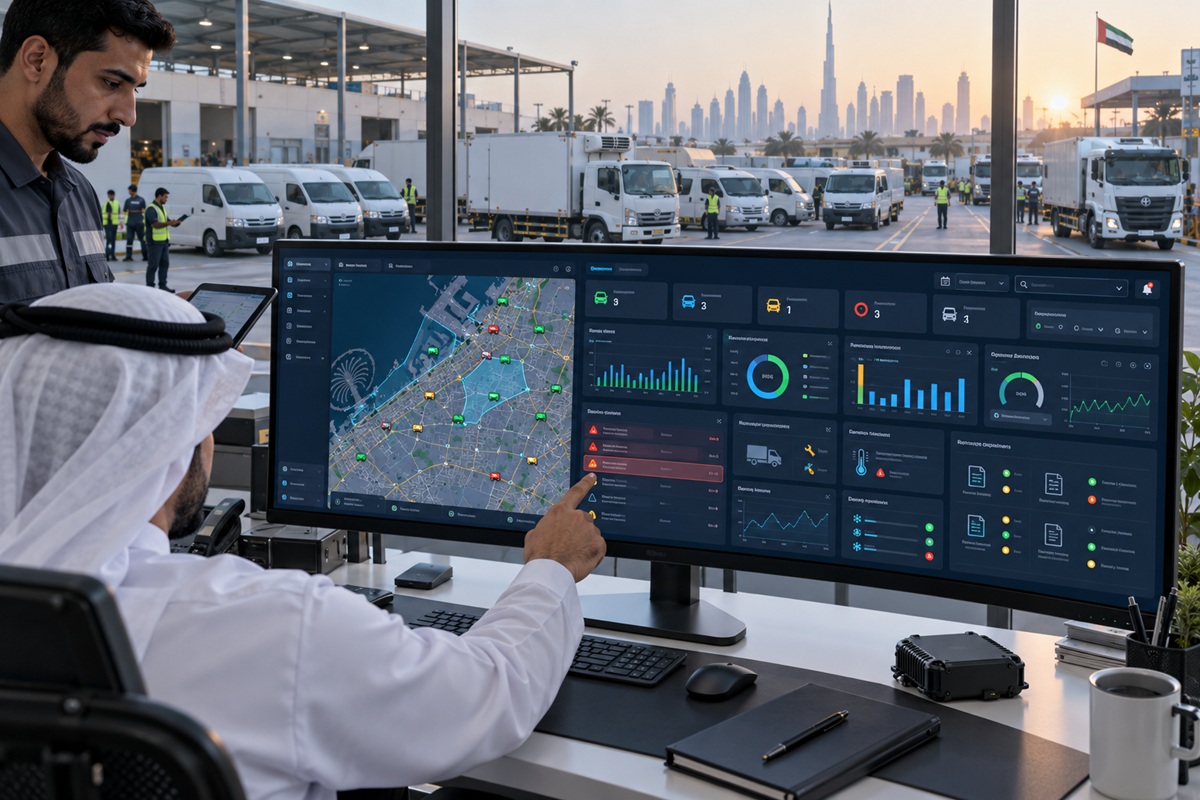
Not all Salik tracking tools do the same job. Some simply mirror the monthly Salik statement in a slightly more readable format a digital version of the same combined account total that tells a fleet manager how much was spent but not where the spend is leaking, who caused it, or how to prevent it next month. Others provide the per-vehicle attribution, real-time alert logic, geofencing cross-reference, and finance-ready reporting that converts Salik toll data from a cost line on the P&L into a managed, accountable, optimisable operational expense.
The difference between these two categories is not obvious from a vendor’s feature list, which will typically claim ‘comprehensive Salik monitoring’ regardless of which category it falls into. The difference is in six specific capabilities that separate genuine fleet Salik monitoring software from a statement display tool and the absence of any one of them limits the operational value of everything else the software provides.
This guide covers the six must-have features in Salik monitoring software for UAE fleet operations in 2026, explains what each feature does and why its absence matters, provides a buyer checklist for evaluating any Salik monitoring solution, and answers the most common questions fleet managers have when selecting Salik monitoring software. The context throughout reflects dynamic Salik pricing AED 6 peak, AED 4 off-peak, free 1:00 AM to 6:00 AM that has been in force since January 2025, which makes crossing time data a cost management variable that older or simpler tools do not address.
Key Takeaways
- The six must-have features in Salik monitoring software for UAE fleets are: automatic Salik data sync, GPS-matched vehicle and driver attribution, real-time unauthorized crossing alerts, exportable finance reports, geofencing integration, and fleet platform integration. Missing any of these creates operational gaps that limit the software’s value.
- Automatic data sync via Salik API is the feature that separates genuine monitoring from a statement display tool without it, every other feature is operating on data that may be hours or days old and requires manual effort to maintain.
- GPS attribution is the feature that creates accountability without it, the fleet manager knows the fleet’s toll total but not which vehicle or driver is responsible. GPS attribution converts a billing summary into a management tool.
- Real-time alerts are what make monitoring preventive rather than retrospective unauthorized crossings caught within minutes are actionable; unauthorized crossings discovered in the monthly report represent costs already incurred and patterns already established.
- Integration with the existing fleet management platform is the feature most often underestimated at evaluation stage and most often missed after deployment when fleet managers discover that toll data in a separate system requires its own login, its own export, and its own reconciliation against GPS data that already exists elsewhere.
Why Feature Choice Matters for Salik Monitoring Tools
The UAE commercial fleet manager’s Salik monitoring requirement has become substantially more complex since dynamic pricing was introduced in January 2025. Before dynamic pricing, every crossing cost the same AED 4 regardless of time the only variable was crossing frequency. With dynamic pricing, the cost of each crossing depends on when it occurs: AED 6 during peak periods (7:00 AM to 9:00 AM and 5:00 PM to 8:00 PM on weekdays), AED 4 during off-peak hours, and free between 1:00 AM and 6:00 AM. This time-dependency makes the time of each crossing a management variable and a monitoring tool that does not capture crossing time breakdown by vehicle and driver cannot support the schedule optimisation that reduces peak-hour toll exposure.
For a 40-vehicle fleet with vehicles averaging 50 crossings per month, the difference between all crossings at peak rate (AED 12,000 monthly) and all crossings at off-peak rate (AED 8,000 monthly) is AED 4,000 per month AED 48,000 per year from exactly the same number of crossings on exactly the same routes. Monitoring software that only shows total spend cannot identify which vehicles have schedule-adjustable crossing patterns; software that shows per-vehicle crossing time breakdown makes this optimisation immediately visible.
This is the practical reason why feature choice matters: the right Salik monitoring features transform toll expense from a fixed cost that the fleet incurs to a managed cost that the fleet controls. The checklist below identifies the features that make that transformation possible.
Must-Have Feature 1 Automatic Salik Data Sync
No Manual Statement Downloads or Data Entry
Automatic Salik data sync means the monitoring software connects directly to the fleet’s Salik account via the Salik API and pulls crossing records automatically at configured intervals typically every 15 to 60 minutes without any manual action from the fleet manager or administrator. Each crossing record includes the gate identifier, timestamp, charge applied, and tag number, providing the complete crossing data that all subsequent attribution and analysis features require.
The alternative manual statement download requires a fleet administrator to log into the Salik portal, export the statement file, import it into the monitoring platform, and manage any data format discrepancies between the export format and the platform’s import schema. For a fleet with 40 vehicles and hundreds of crossings per month, this manual cycle is a recurring administrative task that consumes staff time, introduces import errors, and means the monitoring data is always at least as stale as the last manual import.
Automatic sync is not only a convenience feature it is what enables real-time alerting. A monitoring platform that syncs Salik data daily cannot fire a real-time alert when a vehicle crosses a toll gate outside scheduled hours at 9:30 PM, because the crossing will not appear in the platform until the next day’s import. Real-time data sync is the prerequisite for every time-sensitive monitoring function that fleet managers need.
Must-Have Feature 2 GPS-Matched Vehicle and Driver Attribution
Every Charge Tied to a Specific Vehicle, Driver, and Trip
GPS-matched attribution is the feature that converts the Salik account statement from a financial record into a fleet management tool. The Salik statement identifies crossings by tag number it does not directly identify which vehicle the tag was fitted to at the time of the crossing, or which driver was operating that vehicle. GPS matching resolves both attribution questions: the vehicle is identified by matching the crossing timestamp and gate location against each vehicle’s GPS position record; the driver is identified from the driver ID record (iButton, RFID, or mobile app login) active for the vehicle at the time of the crossing.
Without GPS attribution, a Salik monitoring tool can tell a fleet manager that Tag 7842 crossed Al Garhoud gate at 8:14 AM and was charged AED 6. With GPS attribution, the same crossing tells the fleet manager that Van-014, operated by Ahmed Al-Rashidi on the Al Quoz delivery route, crossed Al Garhoud gate at 8:14 AM at AED 6 peak rate which is 20 minutes earlier than the scheduled route start, raising the question of why the vehicle was on the road before scheduled hours and whether the crossing could have been timed to the off-peak window 46 minutes later.
That specific question which the attributed record makes immediately answerable and the unattributed record makes permanently invisible is the difference between Salik monitoring as a billing verification tool and Salik monitoring as a fleet management tool. GPS attribution is what makes the difference.
Must-Have Feature 3 Real-Time Alerts
Flagging Unauthorized, After-Hours, and Off-Route Crossings
Real-time alerts fire when a crossing event matches a configured rule within minutes of the crossing occurring, not in the next day’s report or the end-of-month reconciliation. The alert types that matter most for UAE fleet Salik monitoring are:
- After-hours crossing alert: fires when a vehicle registered to the fleet crosses a Salik gate outside its scheduled operating hours the primary indicator of unauthorized vehicle use for personal travel or unsanctioned after-hours operation
- Off-route crossing alert: fires when a crossing occurs at a gate that does not correspond to the vehicle’s scheduled route or job assignment indicating route deviation, personal detour, or route inefficiency
- Above-budget daily crossing alert: fires when a vehicle’s daily crossing cost exceeds a configured threshold enabling intervention before a daily budget is significantly exceeded
- Unattributed crossing alert: fires when a crossing occurs with no active driver ID session for the vehicle indicating the vehicle was used without a driver login, which itself is a fleet policy violation
- Peak-rate crossing alert: fires when a crossing occurs at the AED 6 peak rate for vehicles whose routes could support off-peak scheduling prompting schedule review for cost optimisation
The operational value of real-time alerts over monthly reporting is the difference between catching an unauthorized crossing while the vehicle is still on the road and catching it 30 days later when the cost is already sunk and the pattern is already established. A vehicle used for personal travel three evenings per week generates AED 54 to AED 90 in unauthorized toll charges per week discoverable in real time via alert (total monthly cost: AED 200 to AED 360 recovered within days of detection) or discoverable in the monthly report (total monthly cost: AED 864 to AED 1,440 before detection, with the same cost accumulating in subsequent months until discovered).
Must-Have Feature 4 Exportable Finance Reports
Monthly Per-Vehicle Reports Ready for Accounting Systems
Exportable finance reports from Salik monitoring software produce the monthly per-vehicle toll cost breakdown that the finance team needs for cost centre allocation, project cost reporting, budget variance analysis, and vehicle operating cost calculation. The report format matters: a PDF summary that shows vehicle names and monthly totals is useful for a fleet manager’s quick review but requires the finance team to manually re-enter figures into the accounting system. An exportable CSV or Excel file with vehicle ID, cost centre code, crossing count, and monthly toll charge per vehicle feeds directly into SAP, Oracle, Odoo, or Zoho financial management systems without rekeying.
For UAE fleet operators who allocate vehicle costs to specific projects, clients, or cost centres common in construction, logistics, and oil and gas service operations per-vehicle Salik cost export in a format that includes the vehicle’s current cost centre assignment is the specific output that finance requires. A monitoring tool that produces a PDF summary but not a structured export forces the finance team into manual reconciliation, which is the administrative overhead that fleet management platform integration is supposed to eliminate.
The finance report should also include the dynamic pricing breakdown: peak crossings, off-peak crossings, and free crossings separately, with the charge per category because this breakdown is what enables the comparison between actual toll cost and the theoretical minimum cost if all crossings were optimally timed. The variance between actual and theoretical minimum is the toll schedule optimisation opportunity quantified for finance, which finance teams find immediately actionable as a specific cost reduction target.
Must-Have Feature 5 Geofencing Integration
Cross-Referencing Toll Crossings With Defined Job Zones
Geofencing in Salik monitoring works by defining geographic zones that correspond to each vehicle’s authorised operating area the delivery zone, the client site, the service territory and cross-referencing each Salik crossing against whether the vehicle was operating within its authorised zone at the time of the crossing. A crossing at a gate that falls outside the vehicle’s defined operational zone is flagged as a potential off-route or unauthorised crossing, regardless of whether the crossing time falls within scheduled hours.
This cross-reference is more precise than time-based alerts alone because it addresses the crossing patterns that time-based rules miss: a vehicle that makes a personal detour through a toll gate during scheduled work hours generates a crossing that is time-compliant but geographically non-compliant. The fleet manager who relies only on after-hours crossing alerts will miss this crossing entirely; the fleet manager who has geofencing integration will see it flagged as an off-zone crossing within the working day.
Geofencing also provides positive confirmation of legitimate crossings a crossing that occurs within the vehicle’s authorised zone during scheduled hours generates no alert because it is consistent with both time and geography. The absence of alerts for compliant vehicles is itself useful management intelligence: a vehicle that has generated no crossing alerts across the month is operating fully within its authorised parameters, which is the fleet management objective that the combination of time-based and zone-based monitoring enforces.
Must-Have Feature 6 Fleet Platform Integration
Avoiding Toll Data Silos Separate From GPS and Telematics
Fleet platform integration means that Salik toll data appears in the same fleet management system as GPS tracking, driver behaviour monitoring, fuel consumption, maintenance records, and compliance status not in a separate Salik-specific portal that requires a separate login, a separate data export, and separate reconciliation against the GPS data that already exists in the primary fleet platform. The integration is what prevents toll data from becoming a silo: useful in isolation but unable to generate the cross-data insights that combined fleet data enables.
The cross-data insights that integration enables are operationally significant. A vehicle that shows high per-vehicle Salik spend in the toll module and high idle time in the GPS module is a vehicle whose route may have stop-and-go congestion that is both consuming fuel and generating multiple toll crossings a combined route optimisation opportunity that neither data source reveals independently. A driver whose Salik crossing record shows consistent peak-rate crossings in the toll module and whose GPS safety score shows consistent harsh braking in the telematics module may be driving aggressively through traffic and generating peak-rate crossings simultaneously a behaviour coaching opportunity that connects two data streams.
Platform integration also eliminates the administrative duplication that separate systems create. When toll data and GPS data exist in the same platform, the per-vehicle monthly report that finance requires combines mileage, fuel cost, maintenance cost, and toll cost for each vehicle from a single data source. When they exist in separate systems, producing the same report requires exporting from each system separately and reconciling the records a process that scales badly as fleet size grows and that introduces reconciliation errors that integrated data prevents.
The Salik Monitoring Software Feature Checklist
Use this checklist when evaluating any Salik monitoring software or fleet platform’s toll monitoring module. Score each feature: Present and functional (2 points), Partial or requires workaround (1 point), Absent (0 points). A score below 10 indicates significant gaps; a score of 12 or above indicates a capable solution.
| Feature | What to Verify | Priority | Points |
| Automatic Salik API data sync | Does data update in real time or near-real time without manual action? Is it via direct API connection or file-based import? | Must-have | 0-2 |
| Per-vehicle GPS crossing attribution | Is every crossing attributed to a specific vehicle via GPS matching, not just tag number? Is attribution automated or manual? | Must-have | 0-2 |
| Per-driver crossing attribution | Is every crossing attributed to the driver operating the vehicle via iButton, RFID, or app login? What happens to unattributed crossings? | Must-have | 0-2 |
| Real-time after-hours and off-route alerts | Do alerts fire within minutes of the crossing? Are alert rules configurable per vehicle or per zone? | Must-have | 0-2 |
| Exportable finance reports (CSV/Excel) | Can per-vehicle monthly reports be exported in a format that feeds accounting systems without rekeying? Does the export include dynamic pricing breakdown? | Must-have | 0-2 |
| Geofencing cross-reference | Can crossing authorisation be checked against defined job zones, not just scheduled hours? Are zone definitions configurable per vehicle? | High | 0-2 |
| Fleet platform integration (GPS and telematics) | Does toll data appear in the same platform as GPS, driver behaviour, and fuel data? Or is it a separate portal with a separate login? | High | 0-2 |
| Dynamic pricing breakdown (peak/off-peak/free) | Does the per-vehicle report show crossing time breakdown with peak, off-peak, and free categories separately? Does it quantify the optimisation opportunity? | High | 0-2 |
| Historical trend analysis | Can the platform show crossing patterns over 3, 6, or 12 months to support route optimisation decisions? Are trends visible at vehicle and driver level? | Medium | 0-2 |
| Per-vehicle toll budget alerts | Can a monthly AED ceiling be set per vehicle with an alert when the threshold is approached? | Medium | 0-2 |
Questions to Ask a Salik Monitoring Software Provider
Beyond the feature checklist, the following questions surface operational limitations that feature lists do not reveal:
- How does your system handle Salik crossings that occur when no driver is logged in to the vehicle? (Tests unattributed crossing management)
- How quickly does a real-time alert fire after the crossing occurs in seconds, minutes, or hours? (Tests actual real-time capability vs claimed)
- If we have two vehicles approach the same Salik gate within 30 seconds of each other, how does the GPS matching attribute the crossings? What is the confidence level and how are low-confidence matches handled? (Tests attribution precision)
- Does your finance report export include the peak, off-peak, and free crossing breakdown per vehicle, or only total crossing count and total cost? (Tests dynamic pricing reporting depth)
- Can I see Salik toll data alongside GPS trip history, driver safety score, and fuel consumption in the same dashboard, or do I need to log into a separate portal for toll data? (Tests integration depth)
- What happens to historical Salik data if we switch fleet management platforms in future can it be exported in a standard format? (Tests data portability)
How VZone International Delivers These Features
VZone International’s fleet management platform provides all six must-have Salik monitoring features and the three high-priority features within the same Wialon dashboard that fleet managers use for GPS tracking, driver behaviour monitoring, fuel management, and compliance reporting. Salik toll data is not in a separate portal; it is a module within the unified fleet management interface.
Automatic Salik API Sync and Real-Time Data
VZone’s Salik integration uses direct API connection to the fleet’s registered Salik account pulling crossing records at 15-minute intervals throughout the operating day. Crossing data appears in the fleet dashboard within 15 to 30 minutes of occurring, enabling the real-time alert rules to fire within the same window. The 15-minute sync interval also enables the dynamic pricing breakdown to be captured for each crossing because the crossing timestamp is preserved with sufficient precision to determine which pricing tier was active at the time.
GPS Attribution and Driver ID Integration
Every Salik crossing in VZone’s platform is matched to the vehicle’s GPS record automatically using VZone’s Wialon position history data that records vehicle position every 30 to 60 seconds. Driver attribution uses VZone’s iButton, RFID, or mobile app driver identification, which is the same driver ID system used for safety score attribution, fuel consumption allocation, and IVMS driver behaviour reporting. The driver who is responsible for a Salik crossing in the toll module is the same driver ID that appears in the safety score dashboard and the IVMS HSE report a single identity across all fleet monitoring functions.
Exportable Reports and Finance System Integration
VZone’s monthly Salik report exports in CSV and Excel formats with vehicle ID, cost centre code (configurable in the platform), crossing count, peak/off-peak/free breakdown, and monthly toll charge per vehicle formatted for direct import to SAP, Oracle, Odoo, and Zoho financial management systems. For enterprise fleet clients with ERP integration, the monthly Salik cost allocation feeds into the fleet cost module of the ERP automatically without requiring the finance team to access the fleet platform or perform any manual reconciliation.
Conclusion: The Checklist Is the Shortcut to the Right Tool
The Salik monitoring software market in UAE ranges from basic statement displays dressed up as monitoring dashboards to fully integrated fleet management modules that provide the GPS attribution, real-time alerting, geofencing cross-reference, and ERP-ready finance reporting that genuine Salik cost management requires. The six must-have features in this guide are the criteria that distinguish the two categories and the 10-row checklist is the evaluation tool that surfaces which category any specific solution falls into before a procurement commitment is made.
The dynamic pricing environment that Salik has operated in since January 2025 makes the feature distinction more consequential than it was when every crossing cost the same AED 4. A monitoring tool that tells the fleet manager how much was spent in total is significantly less useful when the amount spent depends on when each crossing occurred and when shifting crossing times from peak to off-peak generates AED 48,000 per year in savings for a 40-vehicle fleet that the right monitoring tool makes visible and the wrong one leaves invisible.
VZone International’s Salik monitoring module provides all six must-have features plus the three high-priority features within the same fleet management platform used for every other aspect of UAE fleet operations GPS tracking, driver behaviour, fuel monitoring, compliance reporting, and ERP integration. The toll module shares the same vehicle and driver records, the same GPS data, and the same reporting infrastructure as every other fleet management function, which is precisely what ‘fleet platform integration’ means in practice rather than in a feature list.
See the full Salik monitoring feature set inside VZone International’s fleet platform.
VZone International’s Salik monitoring module provides automatic API sync, GPS-matched vehicle and driver attribution, real-time crossing alerts, dynamic pricing breakdown reporting, geofencing cross-reference, and direct ERP export within the same Wialon dashboard used for all UAE fleet management functions. Request a demo today .
Frequently Asked Questions
Yes most capable Salik monitoring solutions sync with the fleet's registered Salik account via the Salik API, pulling crossing data automatically without manual downloads. The key questions to verify are: how frequently does the sync occur (15 minutes, hourly, or daily?), whether the connection is a direct API integration or a file-import-based approach, and whether crossing time data is preserved with sufficient precision to support dynamic pricing tier attribution. VZone International's platform uses direct Salik API integration with 15-minute sync intervals, providing near-real-time crossing data that enables real-time alert rules and accurate dynamic pricing breakdown.
A basic Salik dashboard typically displays toll totals a cleaner presentation of the same combined account statement available from the Salik portal, with perhaps a basic chart of monthly spend trends. Full Salik monitoring software adds the operational management layer: GPS-matched vehicle and driver attribution (knowing which vehicle and driver caused each crossing, not just the tag), real-time alert rules (firing when unauthorized or unusual crossings occur within minutes), finance-ready exportable reports (structured data for ERP import, not just PDF summaries), geofencing cross-reference (checking crossing legitimacy against assigned job zones), and integration with the broader fleet management platform so toll data shares the same system as GPS, driver behaviour, and fuel data. The gap between a dashboard and full monitoring software is the gap between cost visibility and cost control.
Yes integration with the existing fleet management platform is one of the six must-have features because separating Salik toll data from GPS, driver behaviour, and fuel data creates the data silo problem that fleet management platforms are designed to prevent. Separate systems require separate logins, separate data exports, and manual reconciliation to combine toll data with the GPS and driver records that give it operational context. Integration means the fleet manager sees Salik crossing attribution alongside the GPS trip history for the same vehicle in the same interface, without switching between systems. For enterprise fleets where toll cost allocation feeds into ERP financial reporting, integration also enables automated data flow from the fleet platform to the ERP eliminating the manual export and rekeying that separate systems require.
Real-time alerts are necessary for catching unauthorized or unusual crossings while they are still actionable monthly reports reveal the same events after the cost has already been incurred and the pattern is already established. The practical difference: a vehicle used for personal travel through a toll gate three evenings per week generates approximately AED 90 per week in unauthorized toll charges. A real-time after-hours crossing alert catches the pattern on the first occurrence; a monthly report catches it after 30 days AED 360 later. More significantly, unauthorized vehicle use that begins as occasional personal travel frequently escalates over time if not caught; real-time alerts interrupt the pattern before it becomes established. Monthly reporting is adequate for trend analysis and budget reporting; it is insufficient for operational control of ongoing crossing behavior.